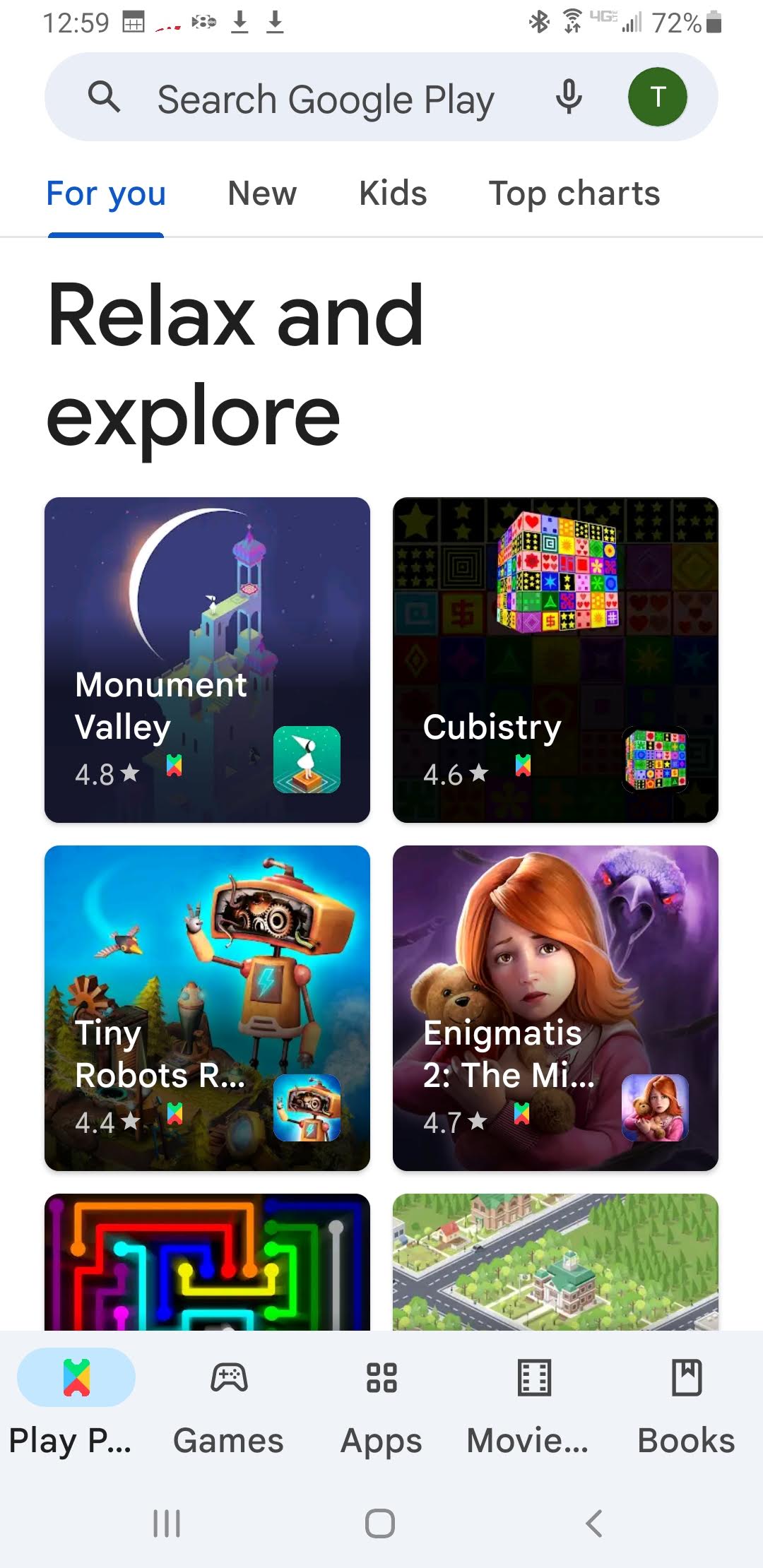
1. Go to the GOOGLE PLAY STORE
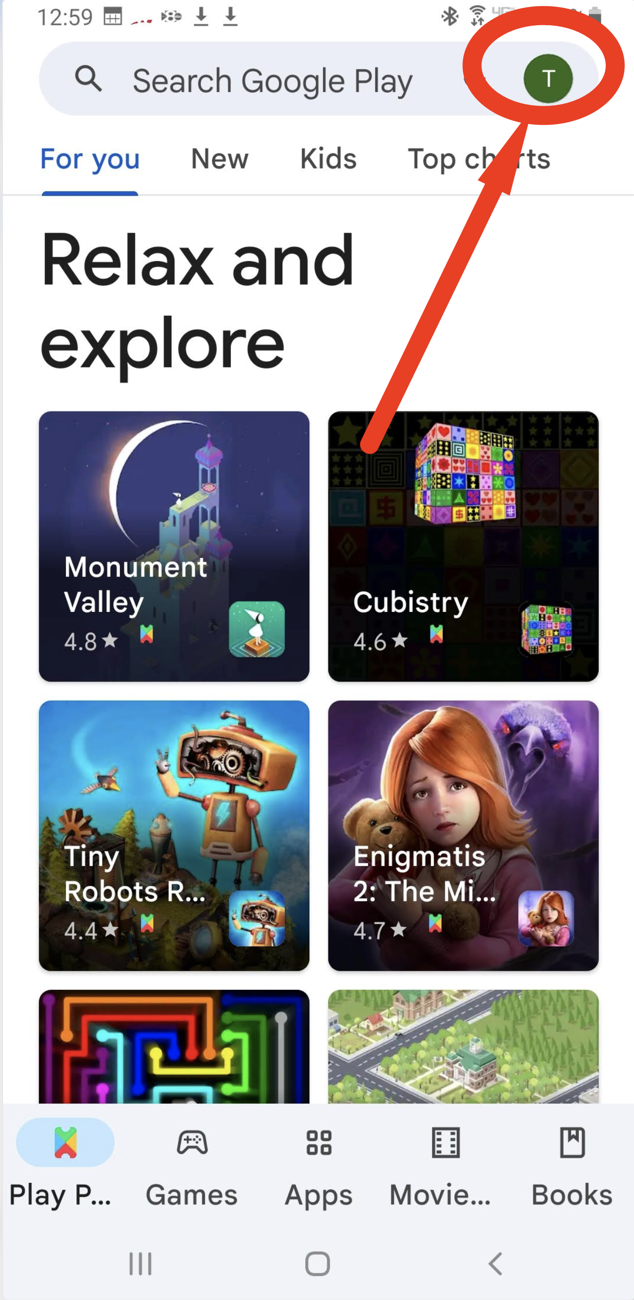
2. Tap on your Profile icon
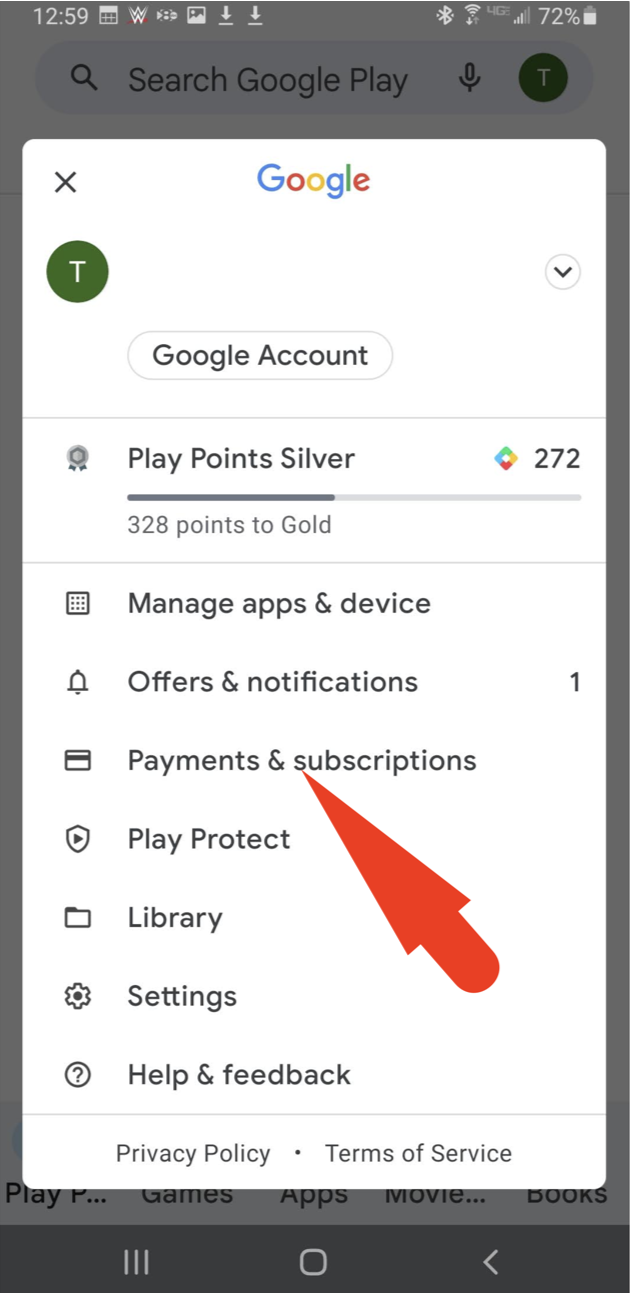
3. Then tap PAYMENTS & SUBSCRIPTIONS
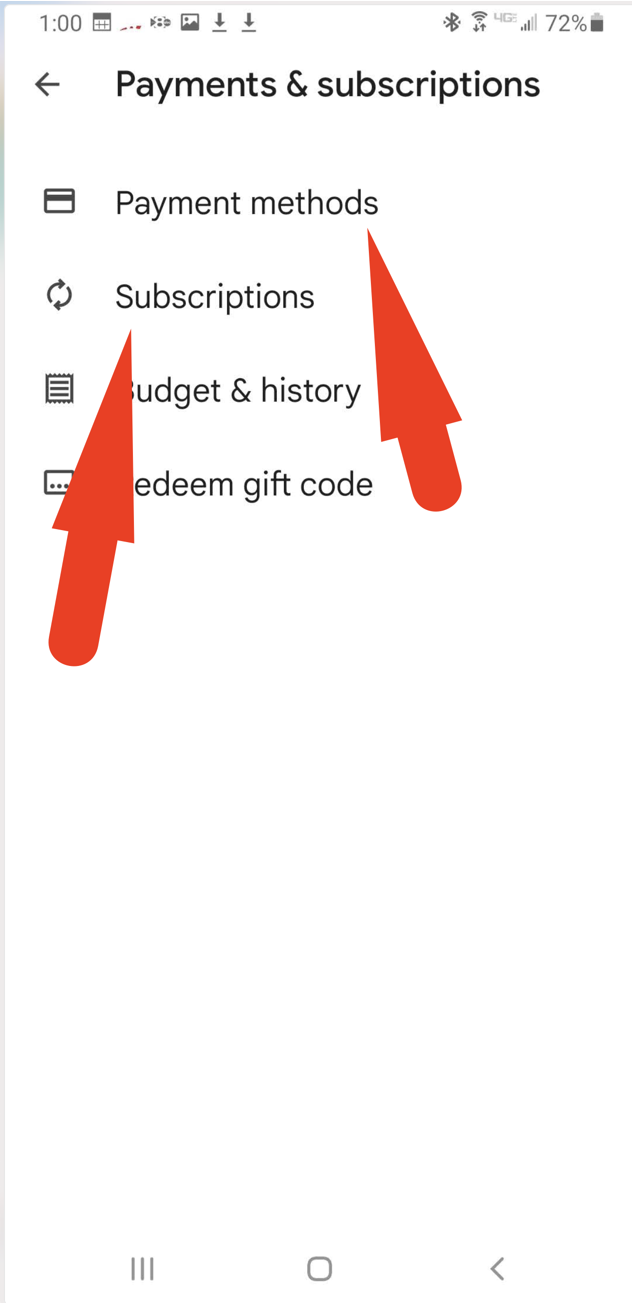
4. From there you can review your active subscriptions, and update your Payment Methods

1. Go to the GOOGLE PLAY STORE
2. Tap on your Profile icon
3. Then tap PAYMENTS & SUBSCRIPTIONS
4. From there you can review your active subscriptions, and update your Payment Methods
Comments
0 comments
Article is closed for comments.