
Getting started with loops is pretty simple.
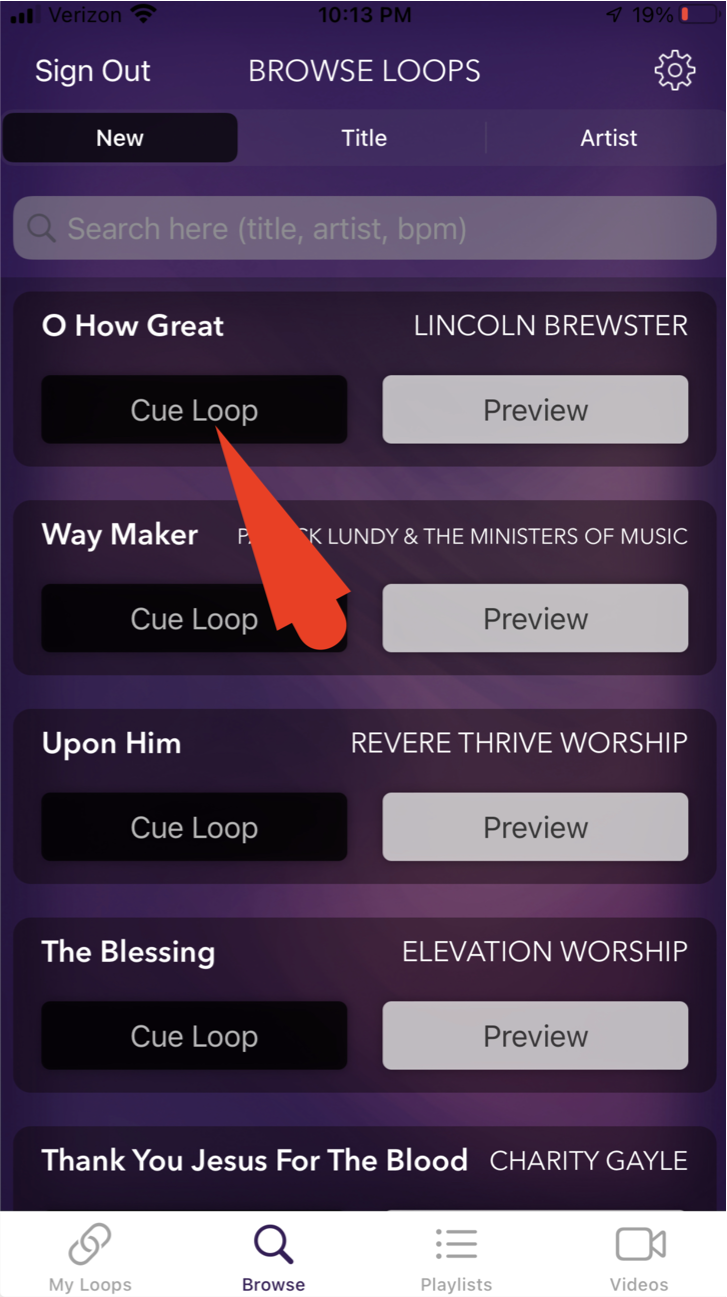
1. First go to the BROWSE page to select the loop you would like to play.
2. Tap "Cue Loop" to download the loop from the cloud to your device.
3. Once the loop is ready, the "Play" button will now be visible.
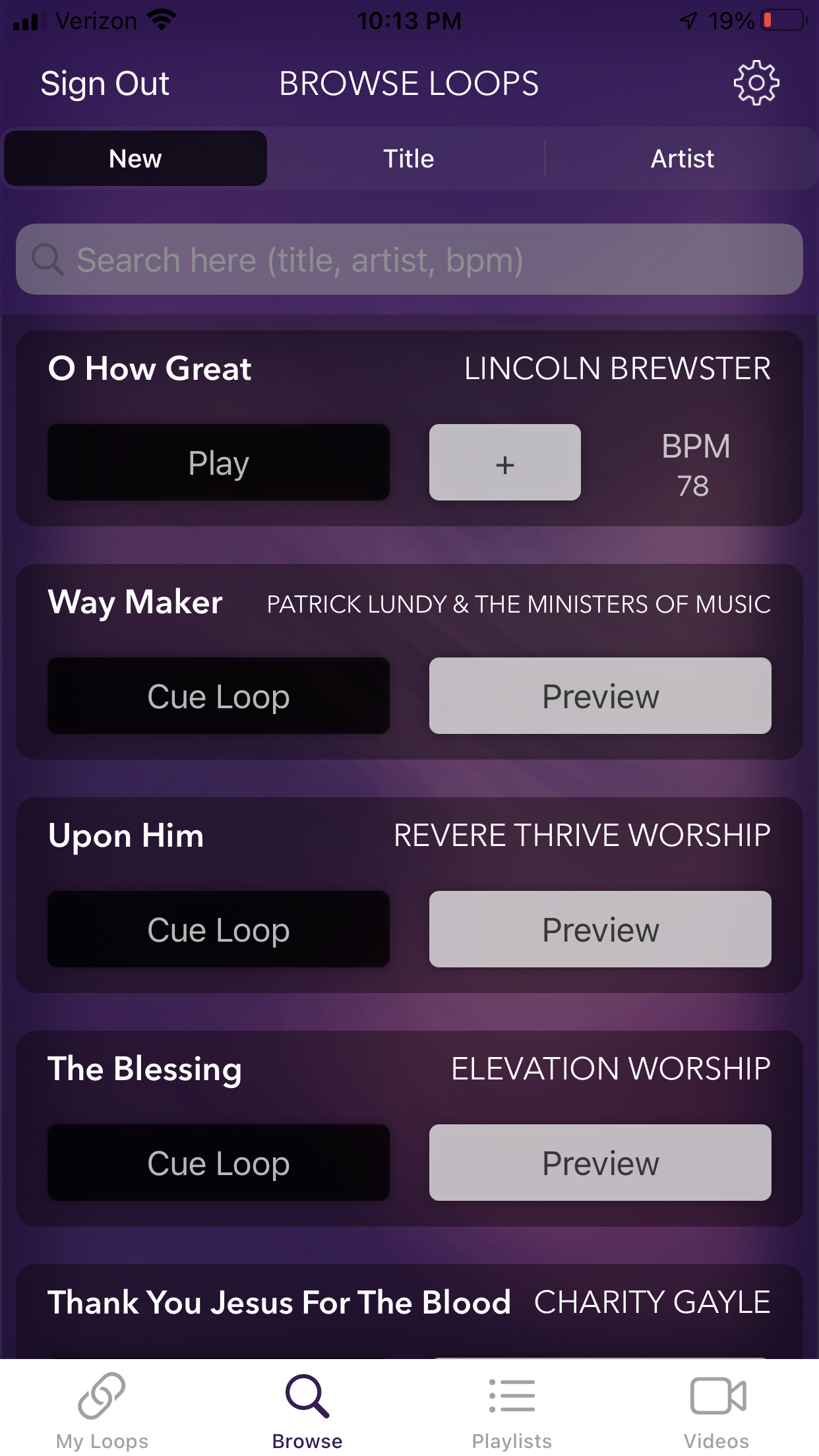
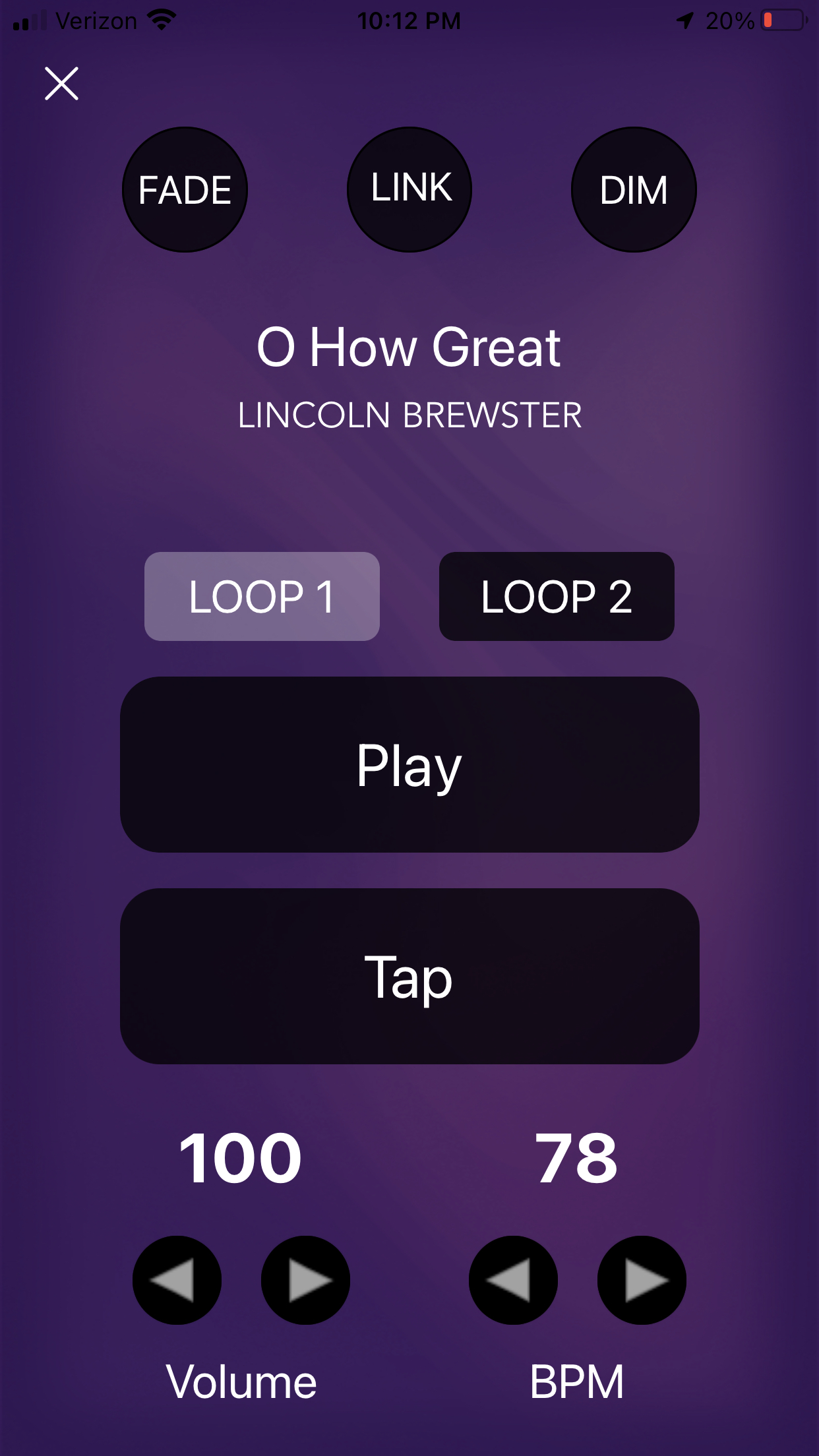
4. Tap "Play" to be taken to the PLAYER page.
5. When you are ready to start your loop, tap the "PLAY" button.
Comments
0 comments
Article is closed for comments.